Detailed instructions are below, please note whilst the images show the larger screen the steps are the same for the smaller Pre Beskar Screen.
An install video is also available at the bottom
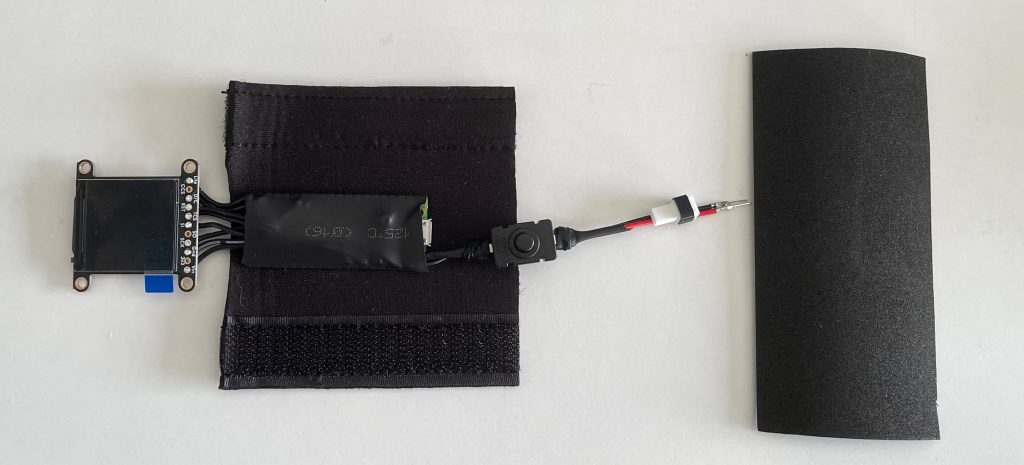
IN YOUR BOX YOU WILL FIND THE BELOW
Main Unit
Foam Wrap (with Velcro)
Foam for surround
The foam wrap can be glued into the gauntlet to protect the board and hold battery in place.
The foam strip can be used to act as a surround of the display to remove any visible gaps. (Cutting required which is why we’ve sent enough for a few attempts )
In addition, you will require:
- Lipo Battery
- Lipo Battery Charger
(You can scan the below QR codes to see examples of the above)
IMPORTANT READ BELOW BEFORE CONNECTING BATTERY
On your unit you will see the Battery connector has not been set in place yet. (left image below)
Check the orientation for + ‘Positive and – ‘Negative cables on your battery then slide the connectors into the adapter to match.
Ensure the top part of the connector slides into the adapter and fits into the groove (right image below.