
BOBA FETT DISPLAY INSTRUCTIONS
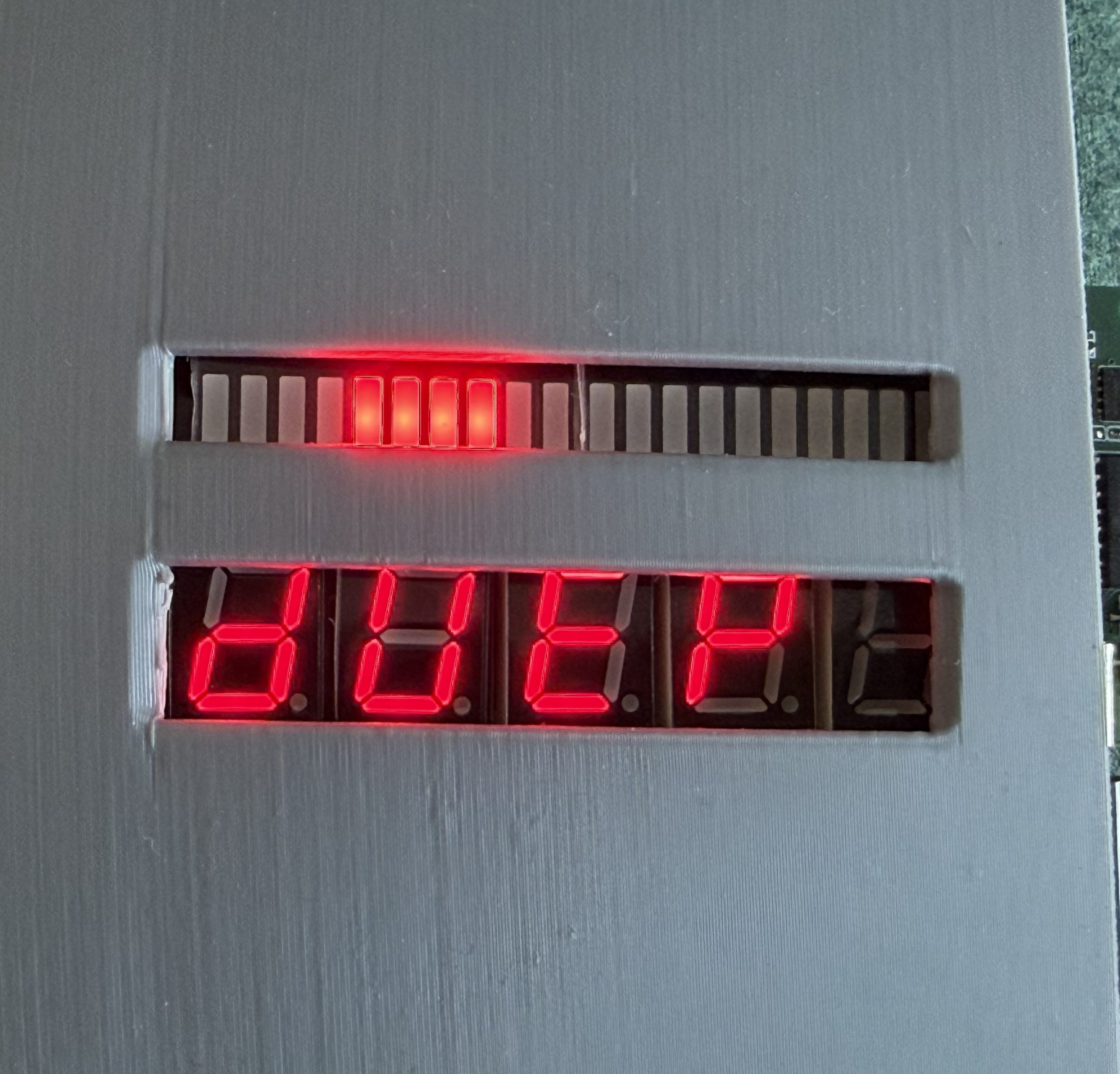
For general use just connect a USB Power pack (any kind will suffice) to the onboard USB C connector. The unit will come to life.
The default setting is Option 1 which replicates what was seen in Empire Strikes Back.
There are 2 onboard buttons as you look head on to the unit. The first (left) reboots the unit and for the most part will not need to be used.
The second (right) cycles through the 6 available modes which are detailed below. Once a mode is selected the unit will default to that the next time it is started.
Mode 1 – ESB
Mode 2 – ROTJ
Mode 3 – Number Sequence is the same – Top bar has 3 leds that scroll back and forth at a slow speed
Mode 4 – Number Sequence is the same – Top bar has 4 leds that scroll back and forth at a slow speed
Mode 5 – Number Sequence is the same – Top bar has 3 leds that scroll back and forth at a high speed
Mode 6 – Number Sequence is the same – Top bar has 4 leds that scroll back and forth at a high speed
Complete the form below to be added to our mailing list. Product updates, sales and Firmware updates for the Pro Elite will be sent out in our Newsletters.